

Complete Setup Guide
From Zero to Hero: Your Web Indexer Setup Guide
Rahel Gunaratne
January 2025
"It's such a great service. We really appreciate it."
Your journey to automated customer service starts here
Why This Guide Will Change Everything
You're about to discover the easiest way to automate your customer service. No coding required. No complex configurations. Just four simple steps that will have your AI chatbot answering questions, collecting leads, and delighting customers in under 15 minutes.
Thousands of businesses have already made the switch, reducing support tickets by up to 90% while improving customer satisfaction. Today, it's your turn.
What You'll Achieve Today
Connect Your Website (2 minutes)
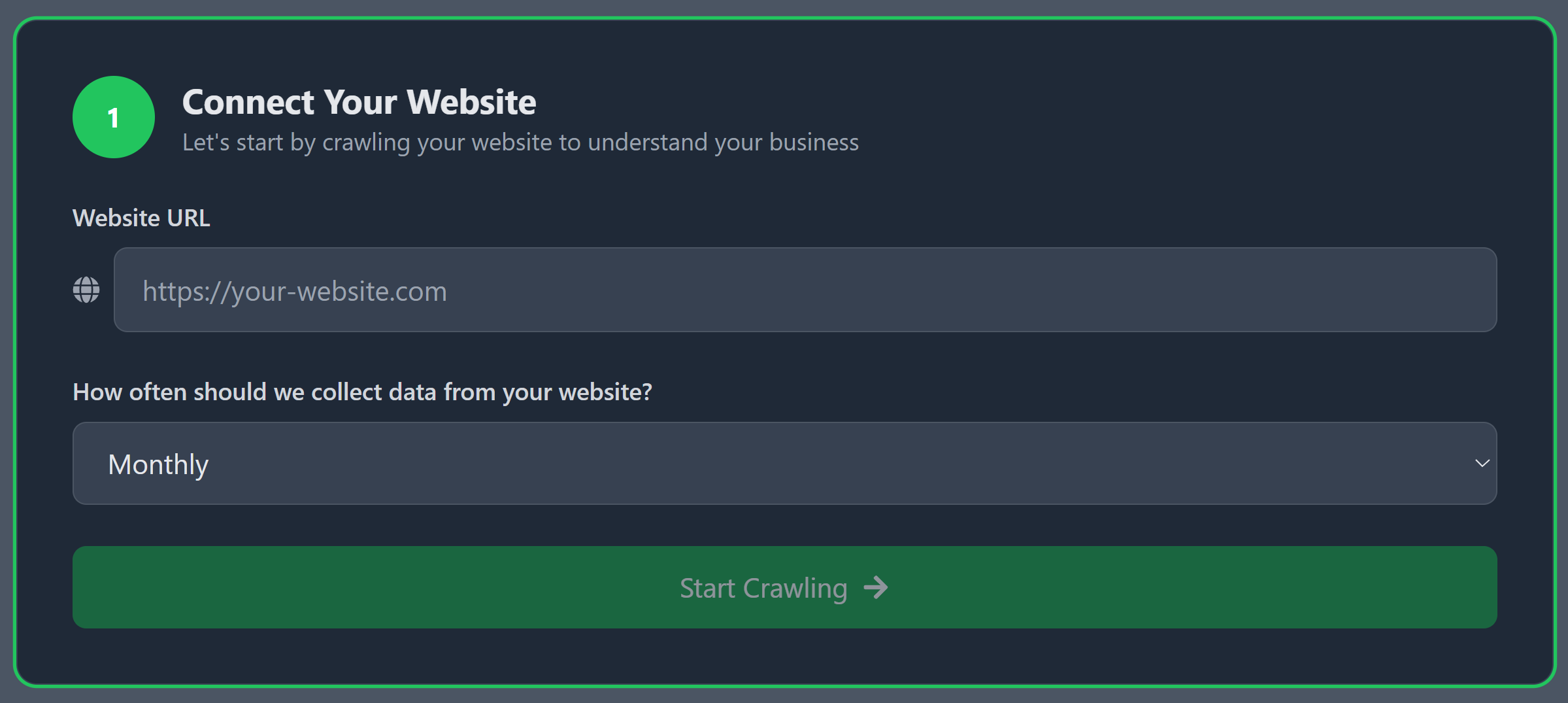
Simply paste your website URL and we'll do the heavy lifting
This is where the magic begins! Simply enter your website URL, and Web Indexer will crawl every page to understand your business inside and out. Think of it as giving your chatbot a crash course in everything you do.
💡Pro Tips for Step 1
Perfect URL format: Always include "https://" - it ensures proper crawling
Crawl frequency hack: Choose "Monthly" if your content changes regularly, "Never" if it's mostly static
Speed secret: Smaller sites (under 50 pages) typically finish crawling in under 30 seconds
What's happening behind the scenes: Web Indexer is reading your FAQ pages, service descriptions, contact information, pricing, and policies. It's building a comprehensive knowledge base so your chatbot can answer questions with the same accuracy as your best customer service rep.
Make It Yours: Customize Your Chat Widget (3 minutes)
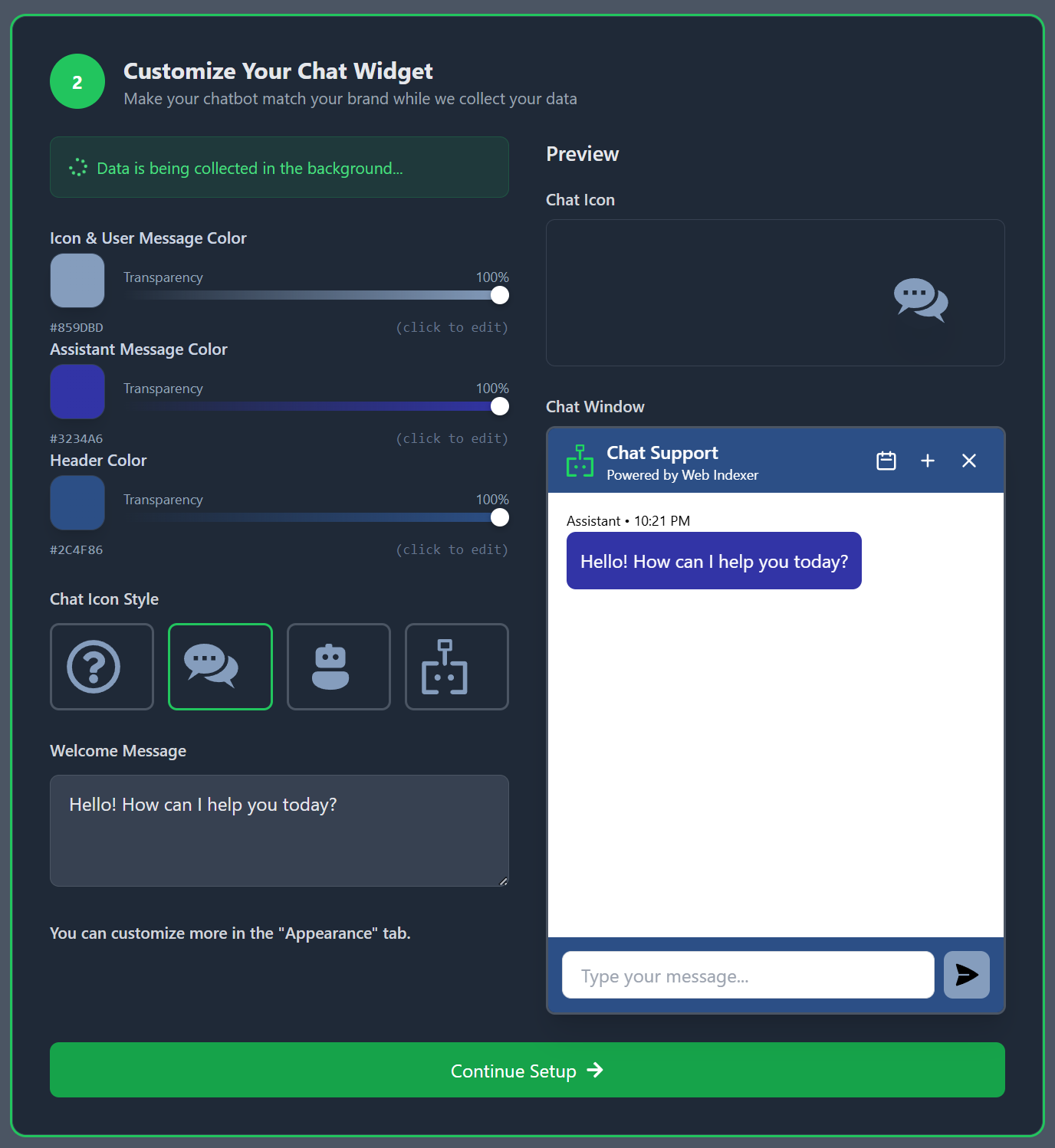
Colors, icons, and messages - make it perfectly yours
While your website is being crawled in the background, let's make your chatbot look amazing! This is where your brand personality shines through. Choose colors that match your website, pick an icon that represents your business, and craft a welcome message that sounds just like you.
🎨Design Like a Pro
Color psychology: Green = helpful, Blue = trustworthy, Orange = friendly
Welcome message gold: Keep it under 12 words for maximum impact
Icon selection: Chat bubbles work for most businesses, but robots add personality for tech companies
The secret sauce: Customers are 73% more likely to engage with a chat widget that matches their expectations of your brand. A law firm might choose conservative blues, while a children's toy store could go bold with bright colors.
Tell Your Story: Business Information (5 minutes)
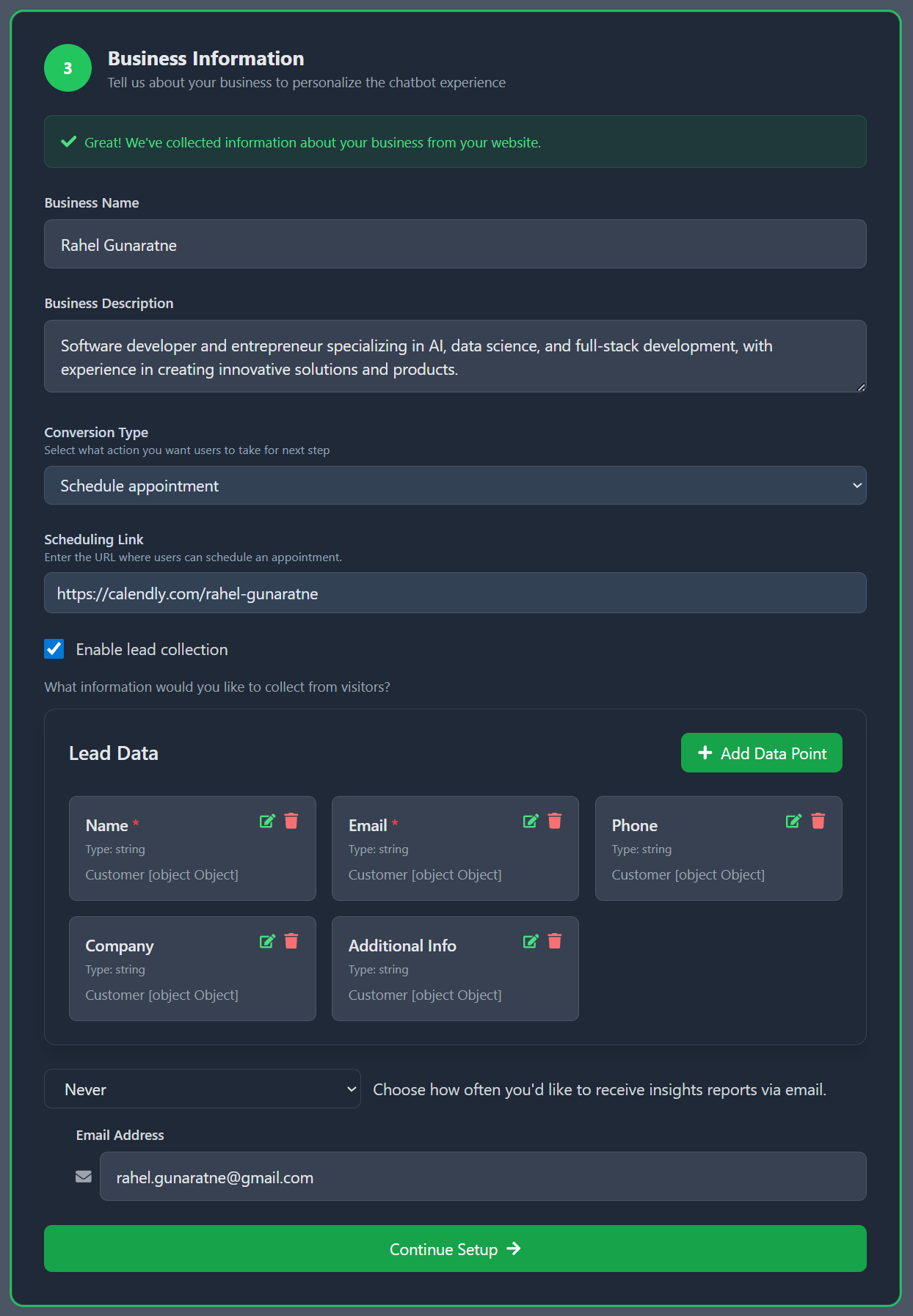
The details that make your chatbot brilliant
Here's where Web Indexer gets really smart. We've already learned about your business from your website, but now you can fine-tune the details and set up powerful conversion tools that turn visitors into customers.
🚀Conversion Optimization Secrets
Business description hack: Include your unique value proposition in 2-3 sentences
Conversion type strategy: "Schedule appointment" converts 3x better for service businesses
Lead collection power: Asking for just name + email increases form completion by 67%
Insights frequency: Monthly reports give you actionable data without overwhelming your inbox
The conversion magic: When someone asks about pricing or services, your chatbot can seamlessly guide them to schedule a call, download a resource, or request a quote. It's like having a 24/7 sales assistant that never takes a coffee break.
Why Lead Collection Changes Everything
- •Capture interested visitors even when you're offline
- •Build your email list automatically
- •Follow up with warm prospects instantly
- •Track which conversations convert best
Go Live: Integration & Launch (5 minutes)
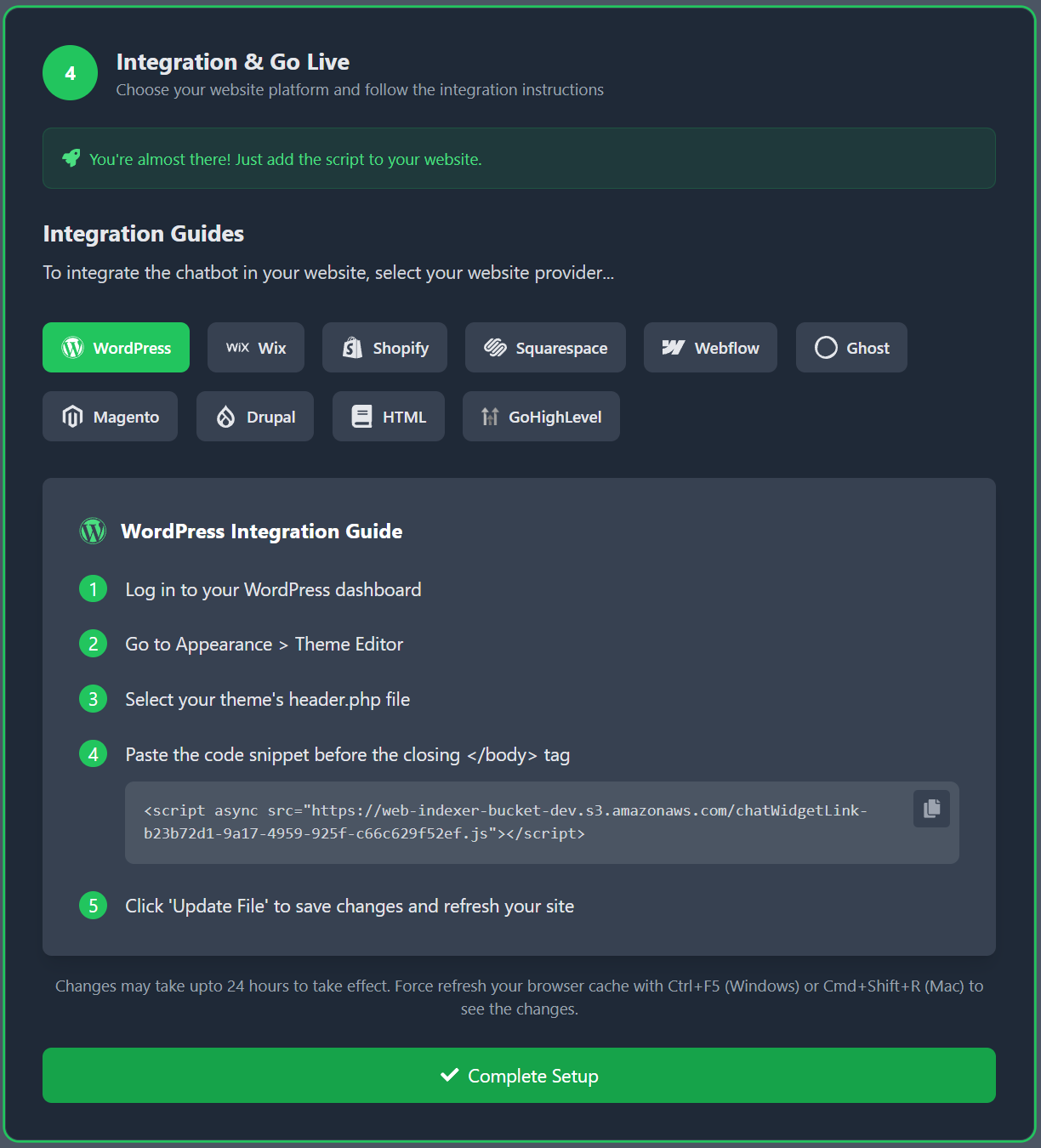
One script, endless possibilities
The final step! We'll give you a simple script that works on any website platform. Whether you're using WordPress, Shopify, Wix, or custom HTML, our step-by-step guides make integration foolproof.
⚡Platform-Specific Power Tips
WordPress: Add to your theme's footer.php or use a plugin like "Insert Headers & Footers"
Shopify: Go to Online Store → Themes → Actions → Edit Code → theme.liquid
Wix: Settings → Advanced → Custom Code → Add Code to Head
Squarespace: Settings → Advanced → Code Injection → Footer
The moment of truth: As soon as you add the script, your chatbot goes live! Visit your website, and you'll see your beautiful chat widget ready to help customers. Test it out by asking a few questions - you'll be amazed at how smart it already is.
What Happens Next (The Good Stuff)
You're In Great Company
"Within the first month, the chatbot reduced phone calls significantly for our restaurant letting the servers focus on our customers."
"The setup was so straightforward, I kept waiting for the complicated part. It never came!"
Insider Secrets for Maximum Results
🔥 The "24-Hour Rule"
Monitor your chatbot's first few days closely. The questions it can't answer become your roadmap for adding custom responses that make it even smarter.
💎 The "FAQ Goldmine"
If you have an FAQ or articles, make sure it's comprehensive. Web Indexer turns every FAQ into instant chatbot knowledge.
⚡ The "Mobile-First Test"
Over 60% of chat interactions happen on mobile. That's why we support mobile first.
Ready to Transform Your Customer Experience?
Join thousands of smart business owners who've automated their customer service and are loving the results. Your 30-day free trial starts the moment you sign up.
🎁 Bonus: Your First 30 Days Action Plan
Days 1-7
Monitor conversations and note frequently asked questions your chatbot can't answer yet
Days 8-21
Fine-tune responses and add custom information based on real customer interactions
Days 22-30
Analyze your first monthly report and optimize for even better performance