

Advanced Configuration Guide
Supercharge Your Chatbot: The Complete Post-Setup Guide
Rahel Gunaratne
October 2025
From Good to Great: Unlocking Your Chatbot's Full Potential
Congratulations! Your chatbot is live and already helping customers. But here's where the real magic happens - fine-tuning your AI assistant to become an indispensable part of your business operations.
In this guide, we'll explore the four powerful features that transform a basic chatbot into a sophisticated customer service powerhouse. From managing knowledge sources to analyzing conversation patterns, you're about to discover capabilities that most businesses don't even know exist.
What You'll Master Today
Knowledge Sources: Your Chatbot's Brain
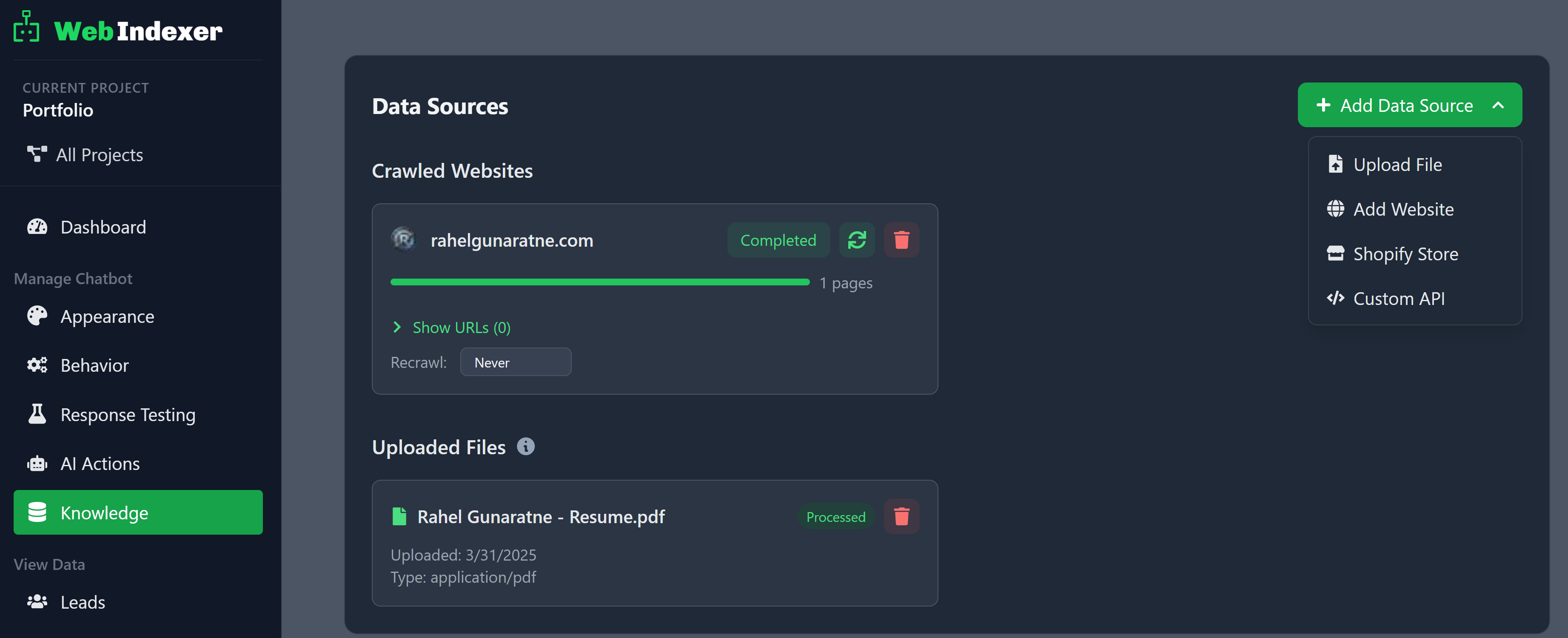
Your chatbot's knowledge library - constantly growing and learning
Think of Knowledge Sources as your chatbot's memory bank. This is where all the information your AI uses to answer questions is stored and managed. Your website crawl was just the beginning - now you can see exactly what your chatbot knows and expand its knowledge base strategically.
🔍Understanding Your Data Sources
1. Crawled Website: Every page from your website that contains valuable customer information - FAQs, product pages, service descriptions, contact info, and policies
2. Uploaded Files: PDFs, Word documents, and other text files perfect for detailed documentation, manuals, and comprehensive guides that aren't on your website
3. Shopify Store Integration: Direct connection to your Shopify product data so your chatbot can recommend products, discuss features, and help with product-related questions
4. Custom Data Sources: Connect to databases and APIs for specialized information (requires developer setup)
Pro tip: Use the extraction instructions and include/exclude paths to finetune what content is collected from your website.
Optimizing Your Knowledge Quality
- •Pages with clear headings perform 40% better
- •Your data sources can be re-collected
- •Updated content = smarter chatbot responses
- •Remove outdated pages to avoid confusion
Behavior Tab: Crafting Your Chatbot's Personality
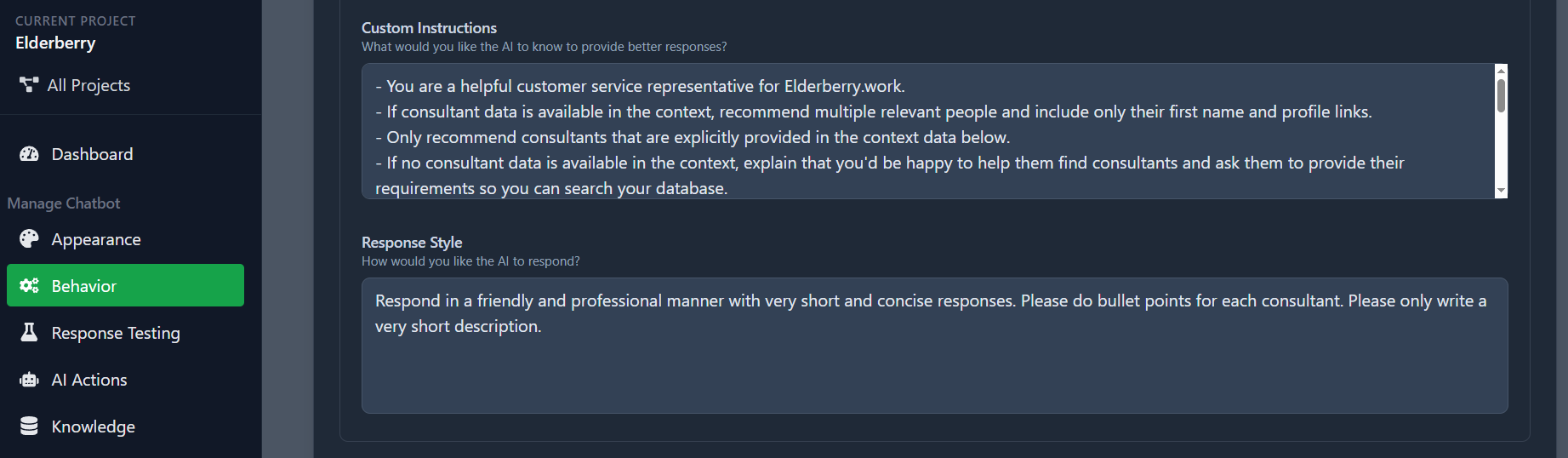
Shape your chatbot's personality and communication style
This is where your chatbot transforms from generic AI to your brand's perfect representative. The Behavior tab, specifically the "Custom Instructions and Response Style" section, gives you unprecedented control over how your chatbot communicates with customers.
✨Custom Instructions: Your Secret Weapon
Tone Control: Make your chatbot formal for law firms, casual for cafes, or technical for SaaS companies
Brand Voice: Inject your unique personality - friendly, professional, witty, or authoritative
Response Length: Short and snappy for quick answers, or detailed explanations for complex topics
Special Instructions: Always mention current promotions, ask for contact info, or guide users to specific actions
Before Custom Instructions
After Custom Instructions
🎨Response Style Mastery Tips
Industry-Specific Language: Use technical terms for B2B, simple language for consumer brands
Emotional Intelligence: Train your bot to be empathetic for support issues, enthusiastic for sales
Call-to-Action Integration: Every response can guide users toward your desired outcome
Compliance Considerations: Perfect for regulated industries that need specific disclaimers
The transformation is immediate: As soon as you save your custom instructions, every new conversation reflects your brand's unique voice. It's like hiring the perfect customer service representative who never has a bad day.
AI Actions: Beyond Conversations
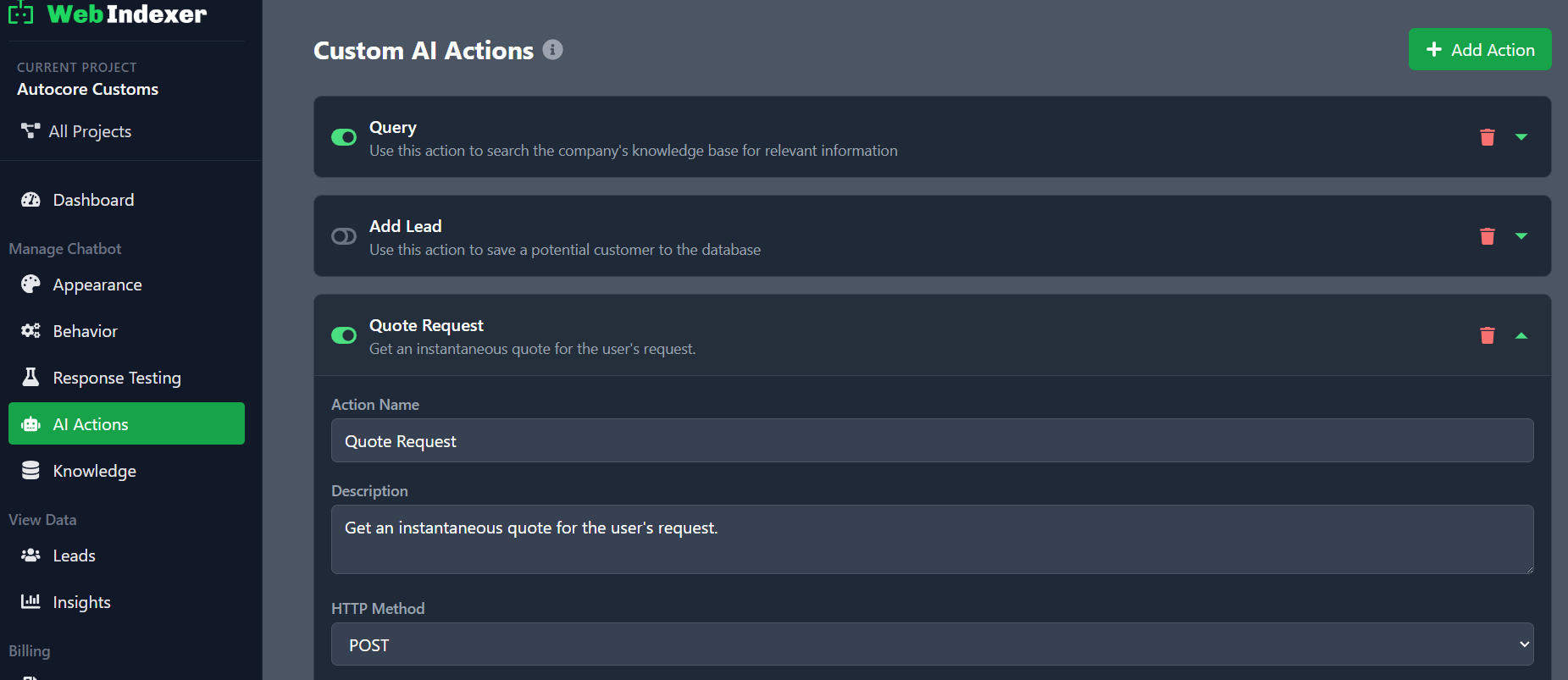
Advanced automation that goes beyond simple Q&A
AI Actions represent the cutting edge of chatbot functionality. While most chatbots can only answer questions, AI Actions allow your chatbot to actually DO things - book appointments, process orders, update databases, send emails, and integrate with your existing business systems.
🚀What AI Actions Can Do
• Schedule appointments in your calendar system
• Process simple orders and payments
• Update customer information in your CRM
• Send automated follow-up emails
• Check inventory levels in real-time
• Create support tickets automatically
• Integrate with Zapier for endless possibilities
• Custom API integrations for unique workflows
Developer Knowledge Required
AI Actions require some technical setup and API integrations. While the concept is powerful, implementation involves working with webhooks, API endpoints, and custom code.
Ready to unlock this power? We're here to help!
Let's Build Something Amazing Together
The possibilities are endless: Imagine a customer asking about appointment availability, and your chatbot not only checking your calendar but actually booking the slot and sending confirmation emails. That's the power of AI Actions.
Insights Tab: Your Conversation Gold Mine
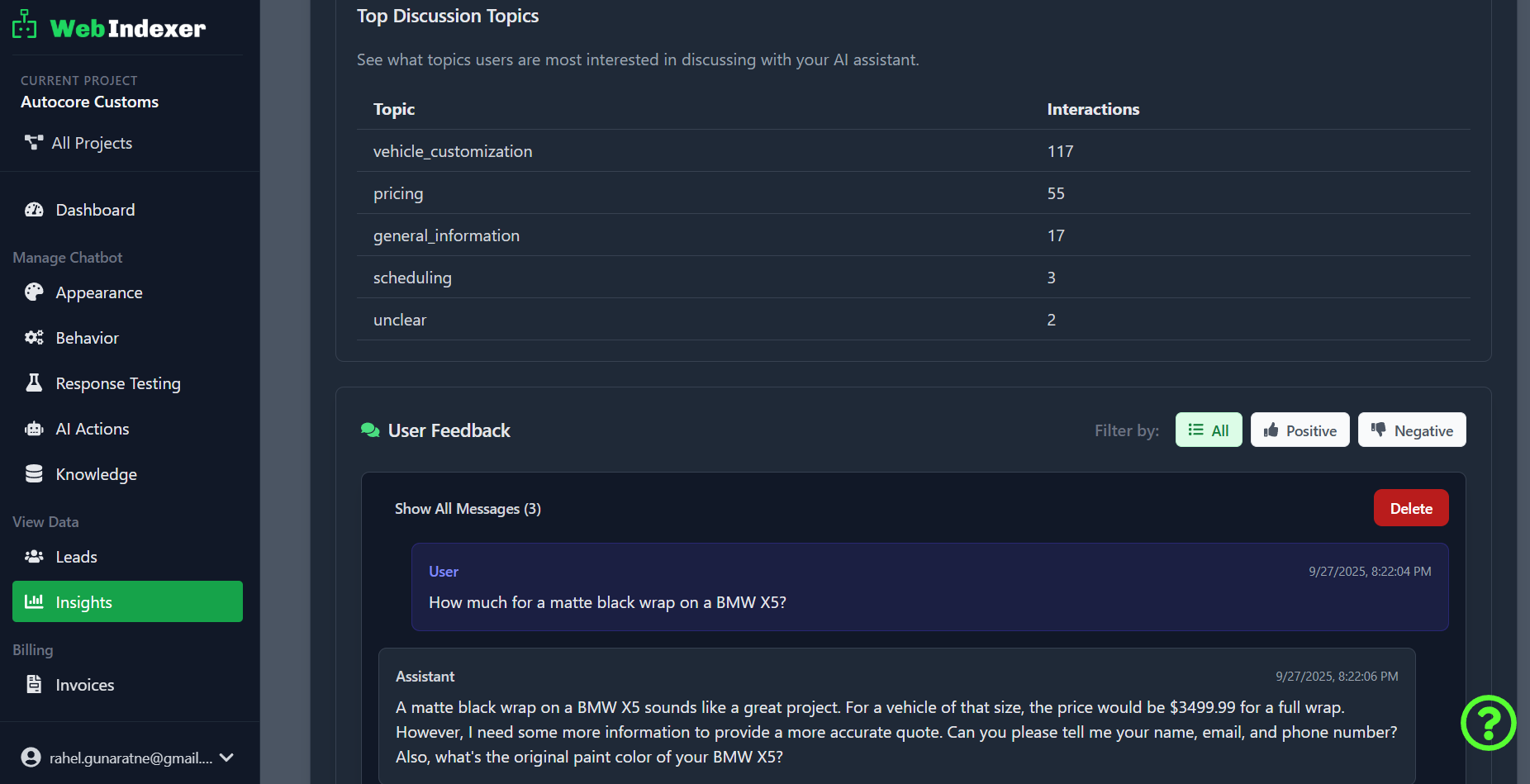
Every conversation tells a story - here's where you read them all
The Insights tab is your window into every conversation happening with your chatbot. This isn't just data - it's pure business intelligence. You'll discover what customers really want, which questions stump your chatbot, and opportunities you never knew existed.
📧Stay Connected with Automatic Email Updates
Instant Lead Notifications
Get notified immediately when a new lead provides their contact information through your chatbot - never miss a potential customer!
Weekly Intelligence Reports
Receive comprehensive summaries of all conversations, unanswered questions, and insights delivered straight to your inbox. Just set the frequency in the Insights tab.
🔍What You'll Discover in Insights
Complete Conversation History: Every chat from day one
Popular Questions: What customers ask most
Response Quality: Which answers work best
Peak Usage Times: When customers need help most
Lead Generation Data: Contact info collected
Conversation Outcomes: Successful resolutions
Knowledge Gaps: Questions your bot can't answer
Customer Sentiment: Happy, frustrated, or curious
Improve Your Website
See which information customers can't find on your site
Product Ideas
Discover what customers are really looking for
Sales Intelligence
Track which conversations lead to conversions
Turn insights into action: The most successful businesses use their conversation data to continuously improve. One client discovered that 40% of questions were about a service not prominently featured on their website. They moved it to the homepage and saw a 25% increase in inquiries.
Measuring Your Chatbot's Impact
Pro Tips for Long-Term Success
🌱 The "Growth Mindset" Approach
Treat your chatbot like a team member who's always learning. Regular updates to knowledge sources and behavior settings keep it sharp and relevant.
📊 The "Data-Driven Optimization" Rule
Make changes based on insights, not assumptions. If conversations show customers asking about pricing, make sure your pricing is easily accessible.
🎯 The "Customer Journey" Integration
Use AI Actions to create seamless experiences. A customer asking about services should be able to book a consultation without leaving the chat.
Ready to Master Your Chatbot?
Your chatbot is more powerful than you imagined. These advanced features are waiting for you to unlock their potential and transform your customer experience.